Proxy for API testing in mobile application
In mobile app development, ensuring security involves testing not just code, but also APIs and network connections. APIs facilitate communication between apps and servers, making their testing crucial for uncovering vulnerabilities. This blog post explores Mobile Application Security Testing, emphasizing the role of MITM proxies in testing APIs and bolstering app security.
What is needed ?
- ApkTool
- UberApkSigner or other tool to sign application
- Proxy tool - Burp, ZAP or MITM proxy
- Android device or emulator with root
How to prepare application ?
Decompile
First step should be decompiling the application. I wrote about it more in Blog post about reverse engineering. You can check it here To decompile application use ApkTool. Command below decompile android application.
apktool d app_name.apk
Change files
In the next step some application files should be changed. The most important file is /res/xml/network_security_config.xml. The most important is allowing application to connect with HTTP and accept system and user certificates. Below you can find example of file which should works with your proxy tool.
<?xml version="1.0" encoding="utf-8"?>
<network-security-config>
    <base-config cleartextTrafficPermitted="true">
        <trust-anchors>
            <certificates src="user" />
            <certificates src="system" />
        </trust-anchors>
    </base-config>
</network-security-config>
Recompile
The last step is recompiling application. To recompile application use command
apktool b decompiled_application_catalog_name -o output_file_name.apk
After that just sign application with UberApkSigner or other tool for signing android app and install applicaiton on emulator or device.
Automatic approach
All steps described above you can automate with one tool - apk-mitm. To run this script just enter the command below in your terminal console.
apk-mitm application_name.apk
How to setup proxy ?
Setting up proxy tools looks different on each tool. In a blog post I’ll describe burp because I use it on a daily basis. Setting up Burp is super easy because all necessary information is in one place. In the proxy tab you can find the settings button. It should open a new window with listeners and rules.
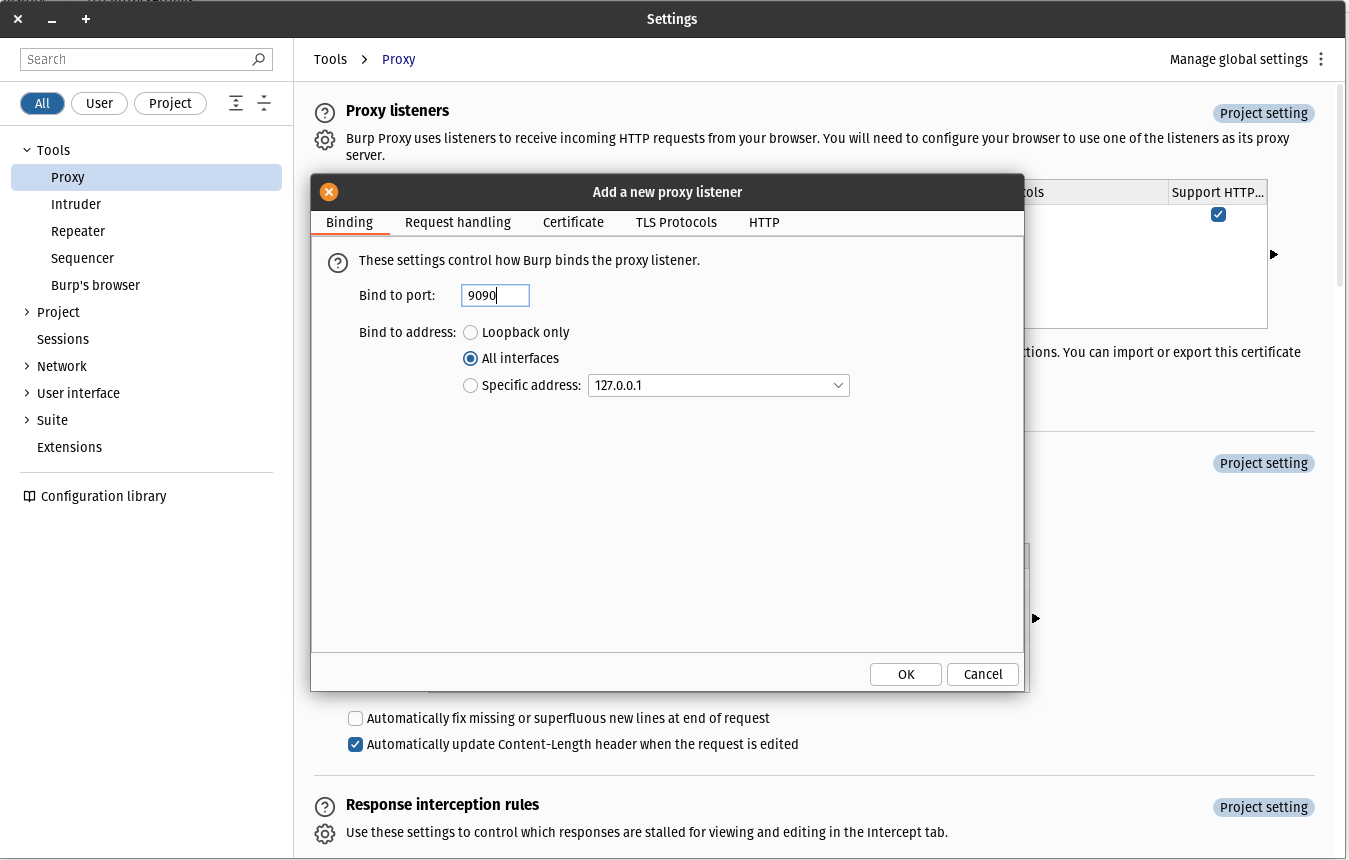
Now you should add a new listener. In the new window set the unused port for binding and select all interfaces checkbox. With that setting check your machine local address and in mobile devices wifi network advances settings set proxy to manual. Set your machine address as proxy address and port from setting window Now everything should works. You can start testing API and connection with services.
Conclusion
In summary, API testing is essential for mobile app security. With the increasing reliance on APIs, ensuring their security is crucial. Thorough API testing helps identify and address vulnerabilities, protecting user data and maintaining app integrity. By prioritizing API testing, developers can enhance app security and build user trust in today’s digital landscape.